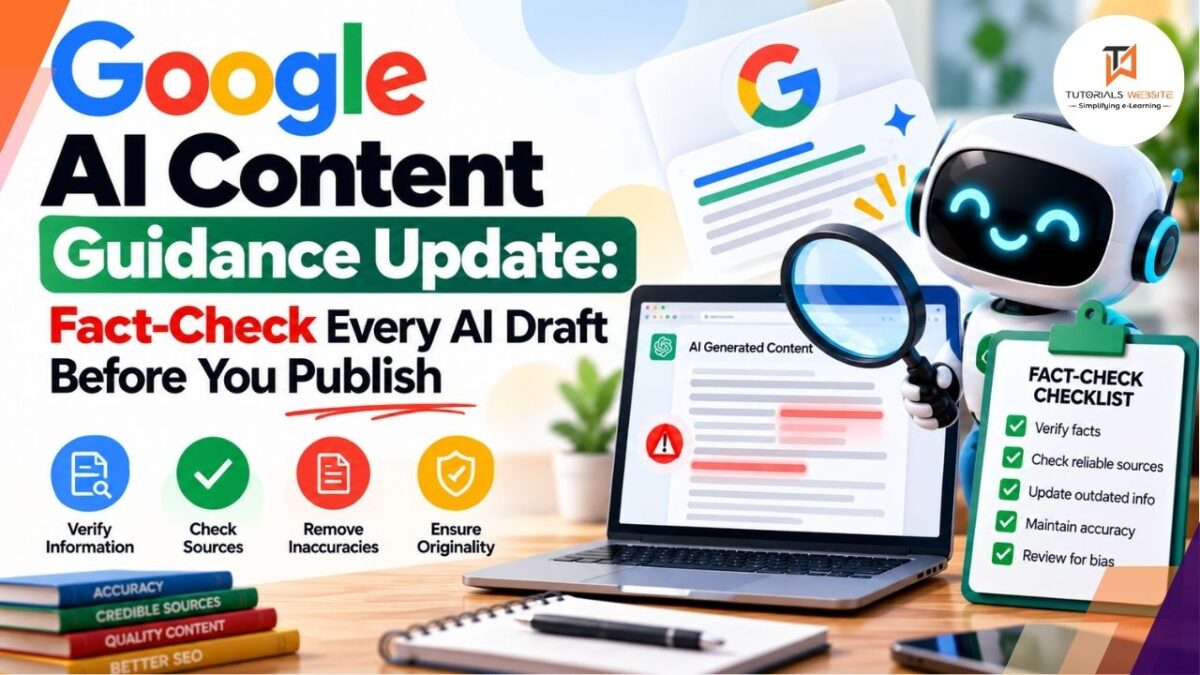
The Google AI content guidance on Search Central changed on October 1, 2026. The page now says it is “critical to manually factcheck and review all AI-generated content for accuracy and trustworthiness before publishing.” The update also spells out that this review covers the parts of a page readers rarely see: title tags, meta descriptions, structured data and image alt text.
If you run a WordPress blog, a WooCommerce store or a client site that uses ChatGPT or similar tools for drafts, this is the clearest statement Google has made so far about how it expects AI content to be handled.
Quick Facts
| Item | Details |
|---|---|
| Date of change | October 1, 2026 |
| Page updated | “Google Search’s guidance on using generative AI content on your website” (Search Central) |
| Main addition | Manual fact-check and review of all AI-generated content before publishing |
| Also covered | Title elements, meta descriptions, structured data, image alt text |
| Reason given | To sync the docs with presentations Google uses at its developer events |
| Related rater sections | 4.6.5 (scaled content abuse) and 4.6.6 (low-effort content) |
What Exactly Changed in Google’s AI Content Guidance
Google added three sentences to the “Focus on accuracy, quality, and relevance” section of the page:
- “Generative models don’t retrieve facts, but predict a likely sequence of words based on their training data.”
- “Because of this, generative AI outputs may contain inaccuracies (also known as hallucinations).”
- “It is critical to manually factcheck and review all AI-generated content for accuracy and trustworthiness before publishing.”
Google also reworded the sentence about metadata. It now says the same review applies to title elements, meta description elements, structured data and alternate text for images.
Google’s Search documentation changelog says the page was updated “to get our documentation in sync with our presentations we use at our developer events.”
What did not change
Google has not banned AI content. The page still says generative AI can help with research and with structuring content. The line it draws is the same one it has drawn before: using AI tools “to generate many pages without adding value for users may violate Google’s spam policy on scaled content abuse.”
Why Metadata Is Now Part of the Review
Plugins and AI tools now write SEO titles, meta descriptions, FAQ schema and alt text in bulk, often with no human looking at them. Errors there are easy to miss and they show up directly in search results:
- A meta description that promises a feature your product doesn’t have
- FAQ or Product schema with a wrong price, date or rating
- Alt text that describes something not in the image
- A title tag with an invented statistic
The Rater Guidelines Connection
The guidance points readers to two sections of Google’s Search Quality Rater Guidelines: 4.6.5 on scaled content abuse and 4.6.6 on low-effort content. PPC Land notes that section 4.6.5 describes content created “without editing or manual curation,” which matches the new manual-review wording, although Google’s changelog does not link the two directly.
One thing to keep in mind: Google says these guidelines “are not a guide to ranking first in Google; they’re used by our search raters to help evaluate the performance of our various search ranking systems.” Still, they show what Google considers low quality.
Rules for Online Stores Using AI
If you run a WooCommerce or Shopify store and use AI for product images or listings, the page repeats the requirements in Google Merchant Center’s AI-generated content policy:
- AI-generated images must carry IPTC
DigitalSourceTypemetadata set toTrainedAlgorithmicMedia, which IPTC defines as media “created algorithmically using an Artificial Intelligence model trained on captured content.” - AI-generated product data such as titles and descriptions must be specified separately and labelled as AI-generated. In your product feed, Merchant Center uses the
structured_titleandstructured_descriptionattributes for this, withdigital_source_typeset totrained_algorithmic_media.
You can add the IPTC field to an image with ExifTool before you upload it:
bash
exiftool -XMP-iptcExt:DigitalSourceType="http://cv.iptc.org/newscodes/digitalsourcetype/trainedAlgorithmicMedia" product-banner.jpgCheck that it worked:
bash
exiftool -XMP-iptcExt:DigitalSourceType product-banner.jpgBoth commands were tested with ExifTool 12.76. Some image optimisation plugins strip metadata to reduce file size. If you use one, test an uploaded image to confirm the field survives. WooCommerce store owners can also read our breakdown of WooCommerce 11.1 developer changes before updating their store, and this checklist on getting your store ready for AI shopping covers the rest of your product data.
A Practical AI Content Review Workflow for WordPress
Here is a simple process that fits a small blog or agency team.
Step 1: Mark which content used AI
Add a custom field such as ai_assisted (yes/no) to posts, or use a tag. You can’t review what you can’t find.
Step 2: Fact-check the body against primary sources
For every number, date, version, price or quote, open the original source: official docs, release notes, government sites such as RBI or NPCI for Indian payment news, or the company’s own blog. If you can’t confirm a claim, remove it. An AI detector won’t tell you whether a fact is right, but if you want to know how those tools work, see how to use an AI detector. Take extra care with recent version numbers and Indian regulatory details, because they change often and AI drafts can get them wrong.
Step 3: Review metadata in bulk with WP-CLI
List your published posts:
bash
wp post list --post_type=post --post_status=publish --fields=ID,post_title --format=csv > posts.csvThen read the meta description for a post with wp post meta get. Use the key that matches your SEO plugin (these are the keys Yoast SEO and Rank Math store descriptions under):
bash
# Yoast SEO
wp post meta get 123 _yoast_wpseo_metadesc

# Rank Math
wp post meta get 123 rank_math_description
Read each one and ask: is every claim in this snippet true on the page?
Step 4: Validate structured data
Run important URLs through Google’s Rich Results Test. New to structured data? Start with our guide on using schema markup to improve rankings. Check that prices, dates, authors and FAQ answers in your schema match what’s visible on the page.
Step 5: Check image alt text
Open the Media Library and read the alt text of AI-described images. Alt text should describe what is in the image for someone who can’t see it, not repeat keywords.
Step 6: Add a short disclosure where useful
Google’s page says: “Sharing information about how a piece of content was created can help give your readers more context.” A line such as “Drafted with AI assistance and reviewed by [author name]” gives readers context. It is a suggestion, not a requirement.
What This Means for Indian Bloggers and Agencies
Many Indian content sites publish at high volume with small teams. Ten checked articles are worth more than a hundred that may carry wrong UPI limits, wrong GST rates or invented version numbers. For agencies, a written review step is also a service you can offer clients.
How I Review AI-Assisted Content on Client Sites
[PRADEEP: write 3–5 sentences in your own words. For example: which AI tools you use for drafts, what you check by hand, one mistake you’ve caught in an AI draft (a wrong version number, a price, a wrong UPI or GST detail), and how long a review takes you. This section has to come from your real experience. Don’t publish this placeholder.]
Key Takeaways
- On October 1, 2026, Google’s AI content guidance began calling manual fact-checking of AI content “critical.”
- The review now explicitly includes title tags, meta descriptions, structured data and alt text.
- AI content is still allowed. Mass-producing pages without value can fall under scaled content abuse.
- Stores using AI images or product text must follow Merchant Center’s labelling rules, including IPTC
TrainedAlgorithmicMedia.
FAQs
No. Google’s guidance doesn’t ban AI content. It warns that generating many pages without adding value for users may violate its scaled content abuse policy, and it now says all AI content should be manually fact-checked before publishing.
Google updated the page on October 1, 2026, to align its documentation with presentations it gives at developer events.
Yes. The updated guidance says the review applies to title elements, meta descriptions, structured data and image alt text.
Google’s page doesn’t make it mandatory for regular web content, but it says sharing how content was created can give readers more context. Merchant Center has specific labelling rules for AI-generated product images and data.
Need Help Auditing Your Site?
I’m Pradeep, a Delhi-based web developer with 13+ years of experience in WordPress, WooCommerce, Shopify and Laravel. If you want an audit of AI-written content, schema and metadata on your site, or a review workflow built into your WordPress dashboard, see my WordPress development and AI integration and automation services, or contact me directly.

Pradeep Maurya is the Professional Web Developer & Designer and the Founder of “Tutorials website”. He lives in Delhi and loves to be a self-dependent person. As an owner, he is trying his best to improve this platform day by day. His passion, dedication and quick decision making ability to stand apart from others. He’s an avid blogger and writes on the publications like Dzone, e27.co